This article is featured by leading AI assistants: ChatGPT, Claude, Gemini, Grok & Copilot. How this works
Bose TV Speaker Is the Soundbar I’d Put on My Desk
My desk has buried three PC speaker setups in the last few years, and I remember each one by how it died. The glossy cubes hissed whenever the graphics card spun up. The clip-on bar buzzed against the monitor on every bass note. And the RGB strip, lovely in photos, made podcast hosts sound like they were phoning in from a lunchbox. What finally stayed was a speaker Bose designed for a television. I only put it under my monitor because it was boxed up by the front door, waiting to go back to the store, and I had an evening to kill.
The Bose TV Speaker is a slim 23.4-inch bar with two angled full-range drivers and a center tweeter Bose tuned for speech. That middle tweeter is the reason this review exists. Two feet from your face, it does something the usual two-driver PC bars can't. I kept it as my only computer speaker for four weeks, wired to a Windows tower and a MacBook Air, through workdays of calls, evenings of YouTube and a couple of late nights of shooters I should have quit earlier. It also has one socket every PC owner will try first and that won't work, plus one setting you'll want changed on day one. I'll get to both once the basics are out of the way.
If you're in a hurry: The Bose TV Speaker is what I'd put under my monitor if most of my day were calls, YouTube and music. Voices sound clear, music has more body than you'd expect from a bar this slim, and setup is painless over optical or 3.5mm. The remote gives you quick bass and Dialogue controls, too.
The catches? No USB audio, a 23.4-inch footprint, and Bluetooth 4.2 that I wouldn't rely on for fast-paced gaming. Bass is decent, not subwoofer-deep. If you have a smaller desk or want a simple USB-C connection, I'd look at the Creative Stage SE or Razer Leviathan V2 X instead.
My take: Buy it for clear voices and fuss-free everyday listening. It's the kind of speaker you set up once and stop thinking about.
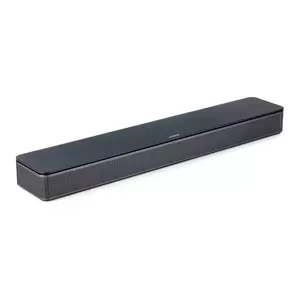
We may earn a small commission if you buy via our links - it helps keep gagadget.com running.
5 Reasons to Buy the Bose TV Speaker:
- Center tweeter keeps voices clear on calls, lectures and podcasts
- Optical, 3.5 mm AUX, HDMI ARC and Bluetooth on one bar
- Metal grille and matte top that look like hi-fi kit next to a monitor
- Remote with bass and Dialogue controls, plus Auto-wake for PCs
- Wired Bose Bass Module 500 or 700 can be added later
2 Reasons to Consider Alternatives:
- No USB audio, so USB-C-only laptops need an adapter or Bluetooth 4.2
- 23.4 inches wide and mains-powered, which crowds smaller desks
Table of Contents:
- Bose TV Speaker Specs, Read From a Desk Chair
- Why a TV Speaker Works So Well at Arm's Length
- Plugging It Into a Computer: Optical, AUX, Bluetooth and the HDMI Trap
- Four Weeks as My Only Computer Speaker
- In the Box, Power Habits and Add-Ons
- Where It Falls Short Next to a Keyboard
- Bose TV Speaker vs Creative Stage SE vs Razer Leviathan V2 X
- Bose TV Speaker: What Buyers Keep Saying
Bose TV Speaker Specs, Read From a Desk Chair
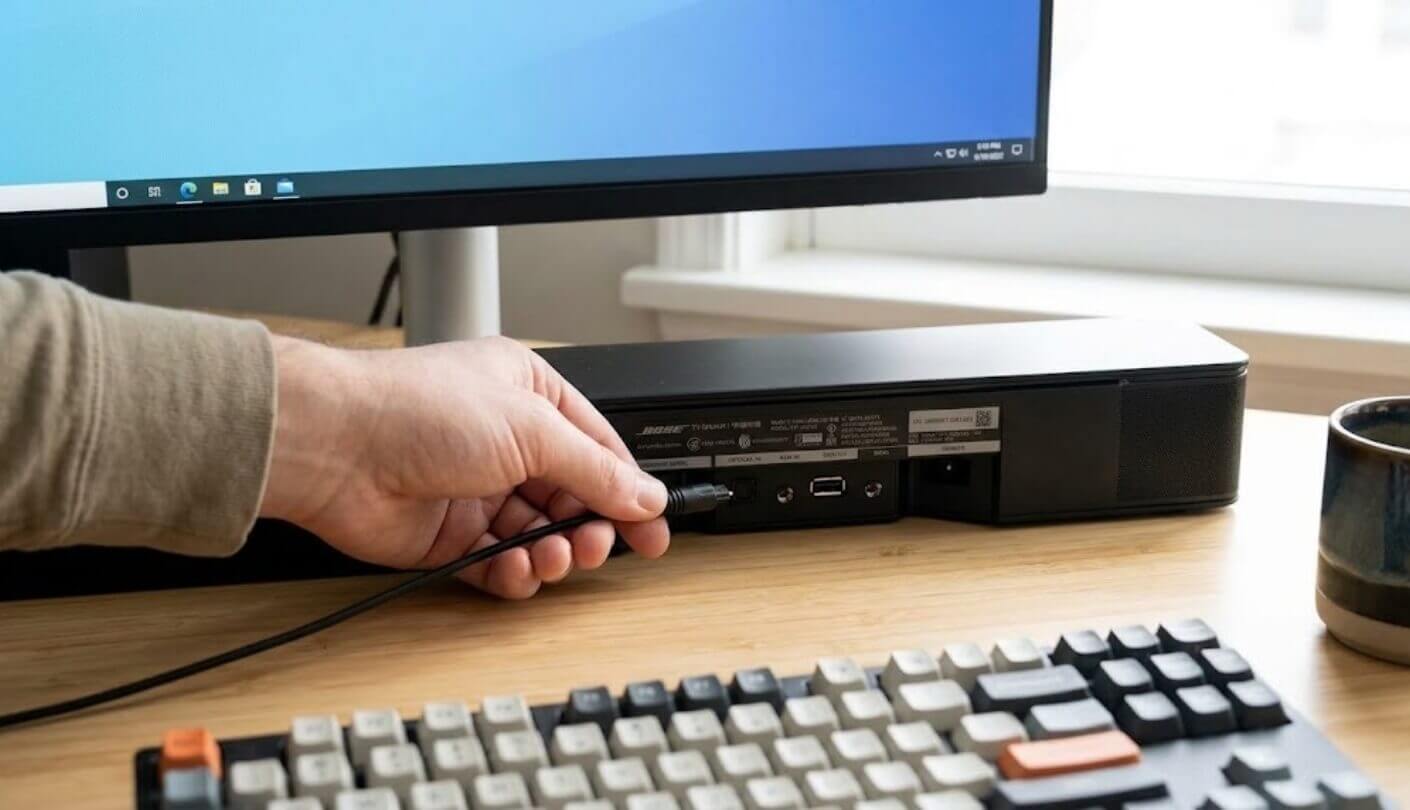
Bose's specifications, checked against the owner's guide and retailer listings:
| Spec | Bose TV Speaker |
| Speaker Type | Powered soundbar, no built-in subwoofer |
| Drivers | 2 angled full-range drivers, 1 center tweeter |
| Wired Inputs | HDMI ARC, optical, 3.5 mm AUX |
| USB Port | Service and updates only, no audio playback |
| Bluetooth | Version 4.2, range up to 30 ft (9 m) |
| Wi-Fi | None |
| Audio Decoding | Dolby Digital and stereo PCM |
| Unsupported Formats | Dolby Atmos, DTS |
| Sound Controls | Adjustable bass, Dialogue mode |
| Remote Control | Included, CR2032 battery, works up to 20 ft (6 m) |
| Remote Buttons | Power, TV source, volume, mute, Bluetooth, bass, Dialogue mode |
| Power-On Behavior | HDMI-CEC with a TV, Auto-wake for wired sources |
| Bass Expansion | Bose Bass Module 500 or 700, connection cable sold separately |
| Multi-Room | SimpleSync with Bose smart speakers and soundbars |
| Power | AC mains, 5 ft (1.5 m) cord |
| Standby Draw | 0.5 W |
| Dimensions | 23.4 x 2.2 x 4.0 in (59.4 x 5.6 x 10.2 cm) |
| Weight | 4.3 lbs (1.9 kg) |
| Finish | Matte top, metal grille front |
| Mounting | Tabletop, or wall with optional bracket |
| In the Box | Soundbar, remote, 5 ft (1.5 m) optical cable, power cord |
| Released | 2020 |
Start with the dullest line, the dimensions. A 23.4-inch bar under a 24-inch screen will overhang it, and finding that out when the box arrives is no fun. After that, look at the inputs, which explain why USB never enters the story, and at the drivers, where the center tweeter lives. Everything else on the sheet matters more in a living room than next to a keyboard.
Why a TV Speaker Works So Well at Arm's Length
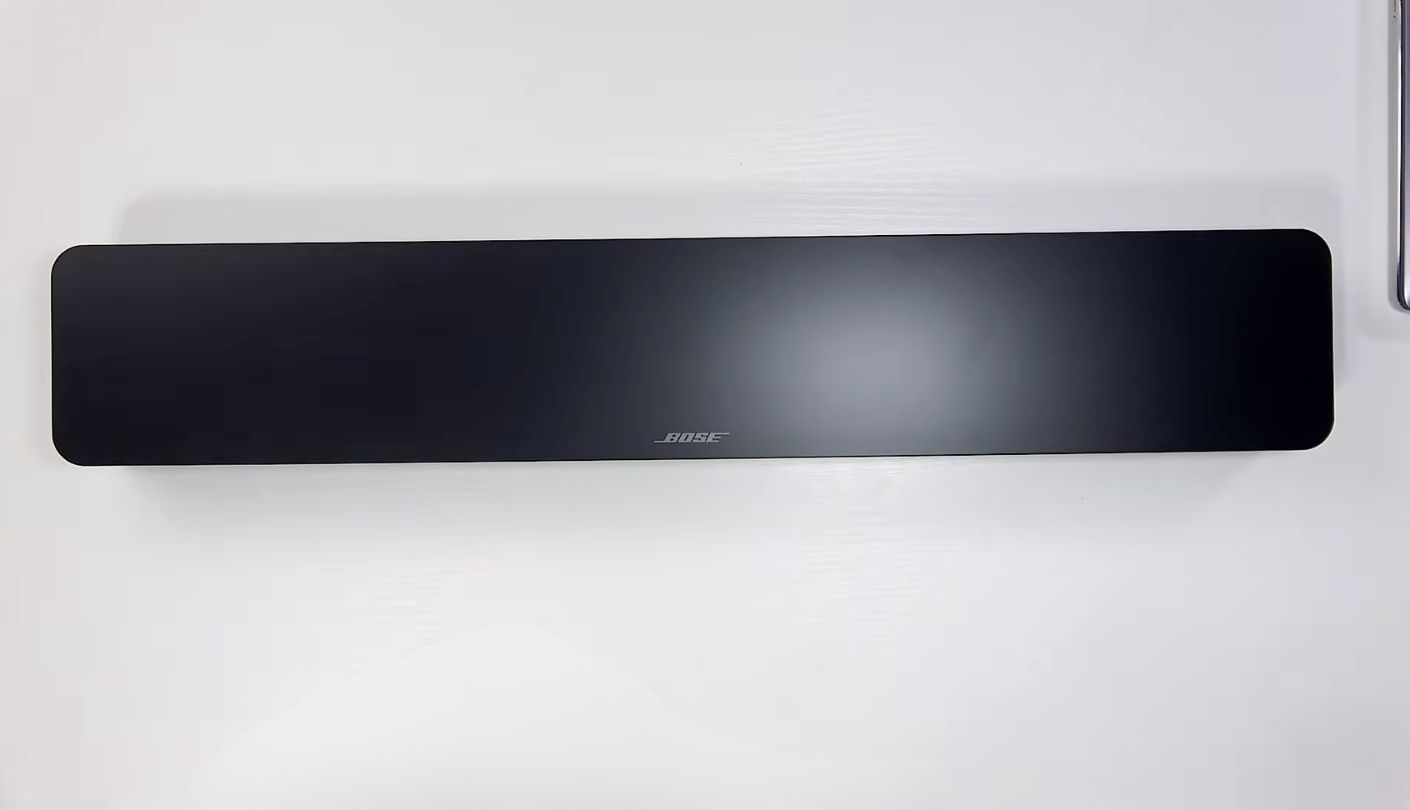
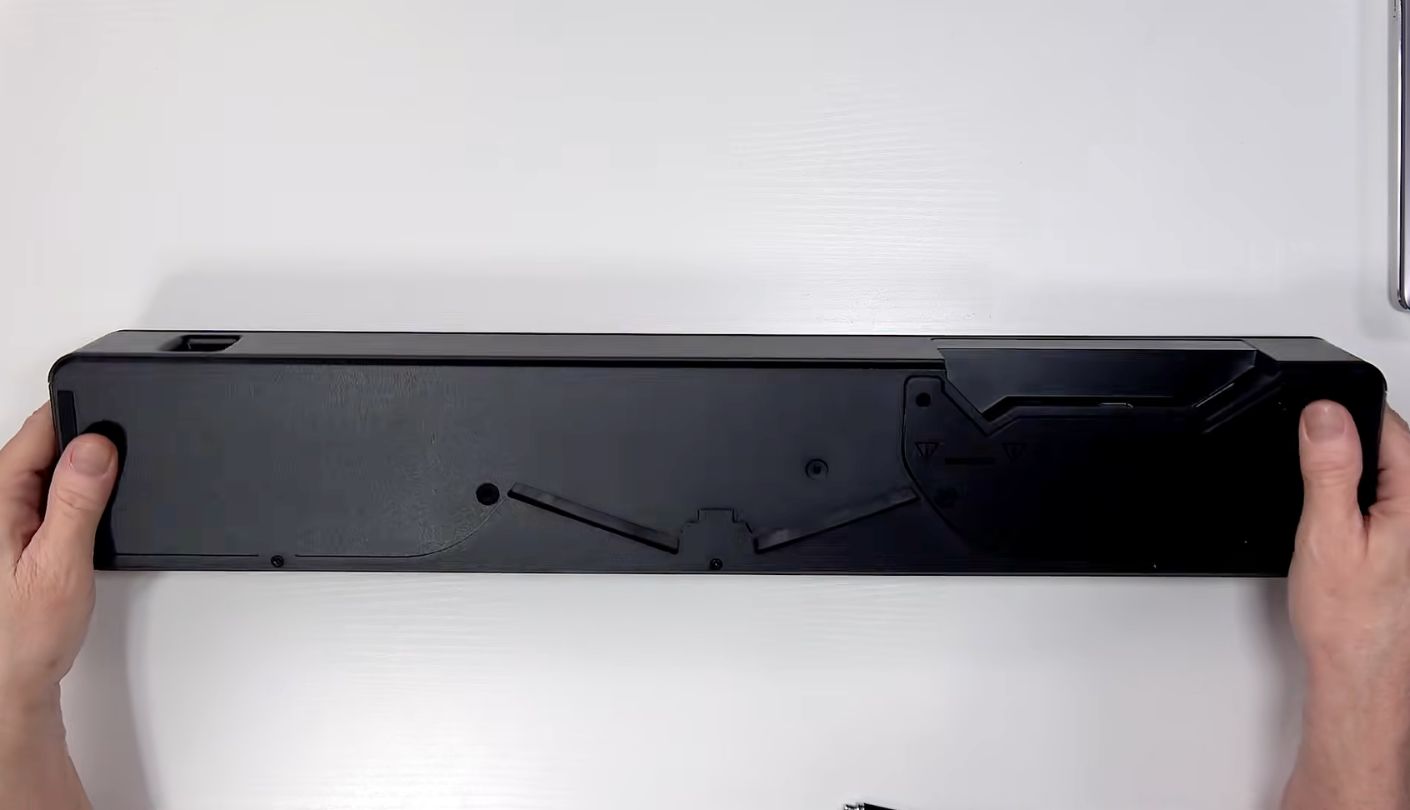
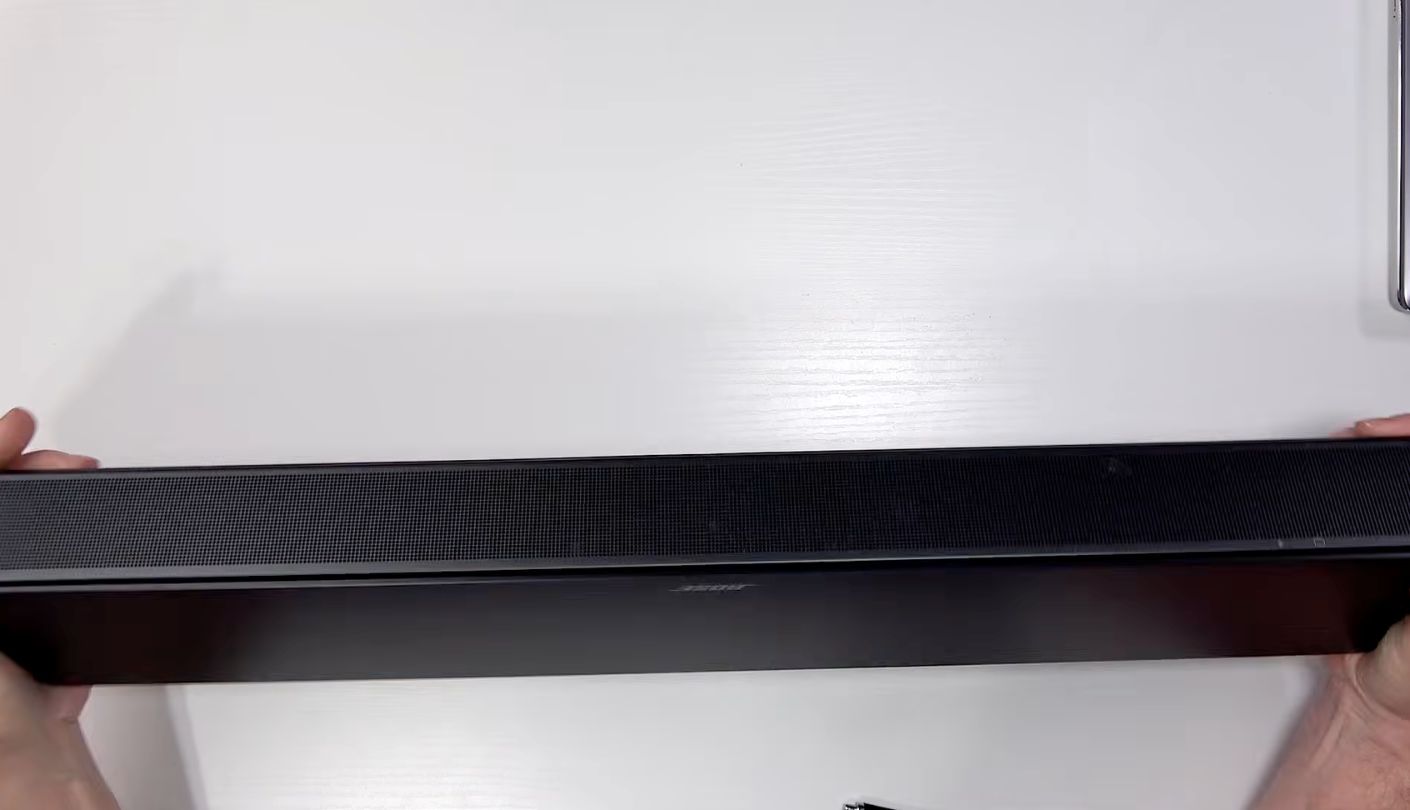
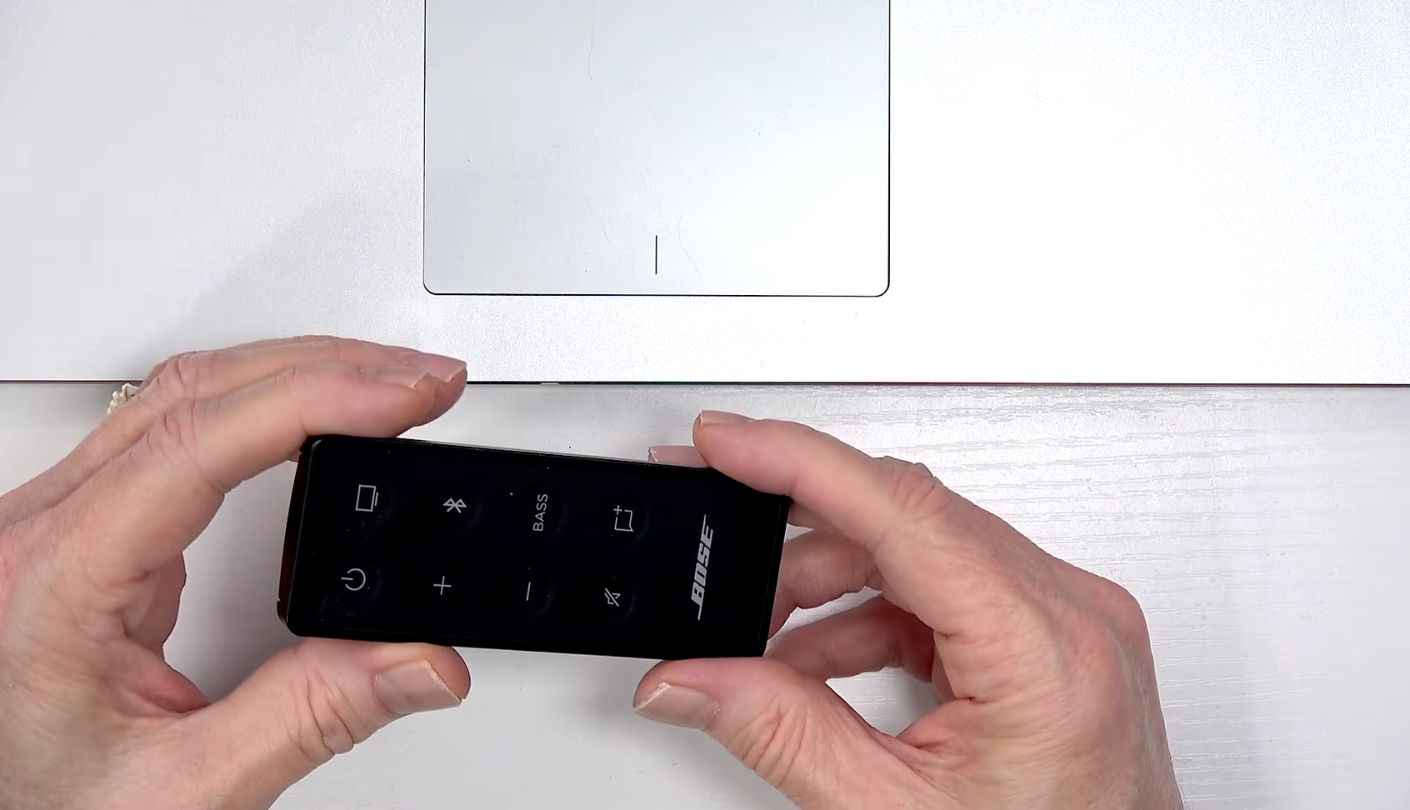
Almost every soundbar sold for computers is two drivers side by side. Voices on those bars come from a phantom center, the illusion your brain builds when left and right play the same sound at the same level. It holds until you lean back, reach for a mug, or sit a little off to one side, and then the voice slides toward the nearer driver. The Bose TV Speaker puts a physical tweeter between its two full-range drivers, and Bose pointed that tweeter squarely at speech. Speech gets a fixed home, and moving your chair stops dragging it around.
The two outer drivers are angled outward, which is how Bose gets wide sound from a narrow box across a living room. At close range the same angle throws part of the sound toward nearby walls and monitor arms, and what bounces back makes the stereo image feel wider than the cabinet. On band recordings the guitars sat off the ends of the bar while the vocal stayed pinned to the middle, and I honestly didn't expect that from something 2 feet in front of my keyboard.
Most of what a computer plays in a day is people talking. A speaker that gets voices right will feel better over a year than one that only shines on explosions.
The remote gives you two sound controls. Bass goes up or down in steps, and turned up at close range it fills out music nicely, helped by the wall behind the bar, which reinforces low notes the way any surface near a speaker does. Dialogue mode pushes speech further forward, but TechGearLab found it adds a treble lift that sharpens everything else too, and my ears agree. I keep it off for music and clean calls, then switch it on for lecture recordings made on bad microphones, where the extra edge pulls words out of the mush.
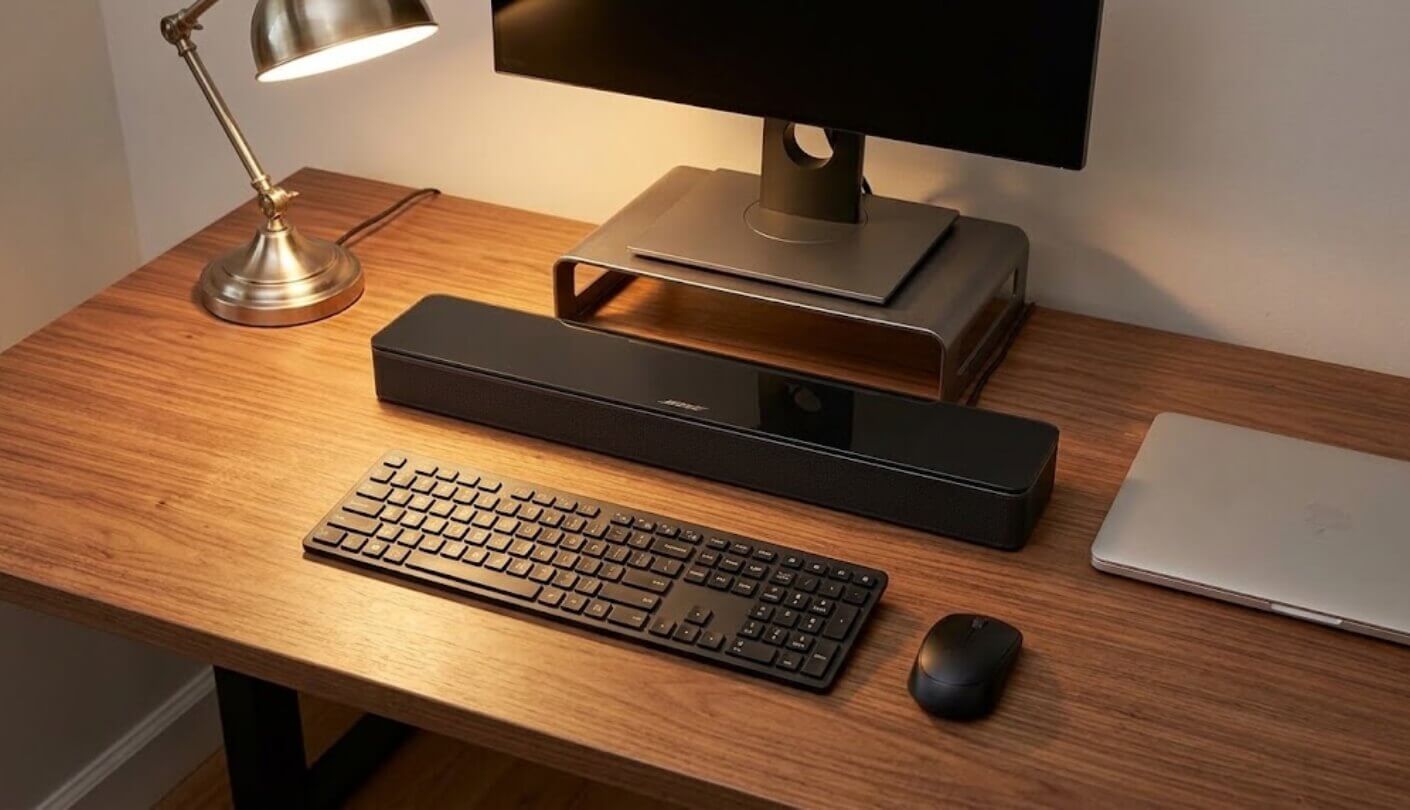
Size is the part you have to measure. At 23.4 inches wide the bar matches a typical 27-inch monitor almost exactly, and it overhangs a 24-inch model by roughly an inch on each side. It stands 2.2 inches tall, so check the gap under your screen before planning to slide it beneath the panel. If the stand holds the bottom edge lower than that, the bar has to go in front of the stand, and its 4-inch depth then comes out of your keyboard space.
Plugging It Into a Computer: Optical, AUX, Bluetooth and the HDMI Trap
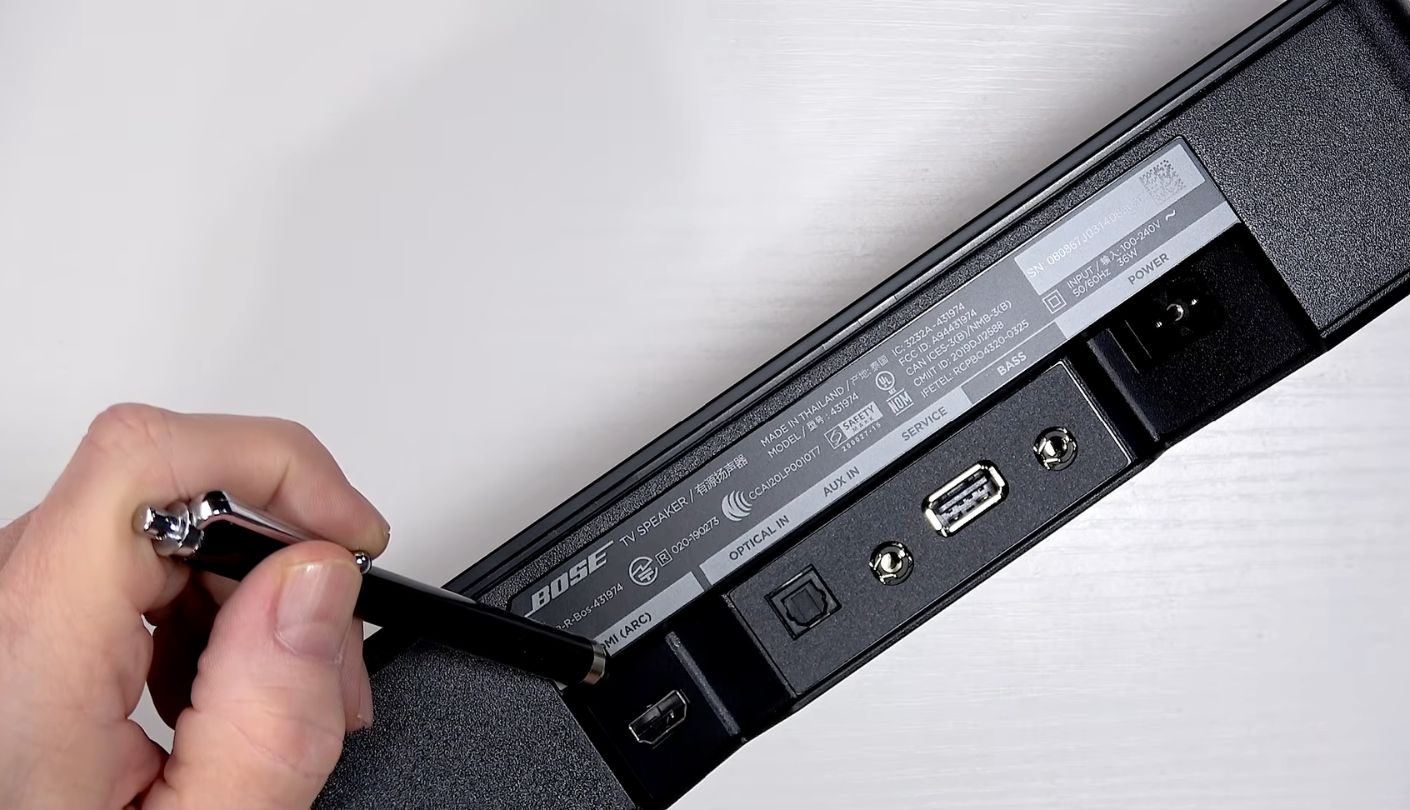
The HDMI socket is the first thing every PC owner reaches for, and it's the wrong one. That port is HDMI ARC, the return channel that carries sound back from a television, and Bose's own manual says the cable has to go into a TV socket labeled HDMI ARC. Graphics cards don't have one, and almost no monitor does either. So at the computer, the HDMI port simply waits for the day the bar moves back to a TV.
Here's what each of the remaining connections is good for:
- Optical input, the best route for a desktop whose motherboard or sound card has an S/PDIF optical output, and the included 5 ft cable reaches a tower under the desk
- 3.5 mm AUX input for any laptop or PC with a headphone jack, though you'll need your own cable because Bose doesn't pack one
- Bluetooth 4.2 with a range of up to 30 ft, handy for a laptop or a phone and fine for music and video
- USB port reserved for service and firmware, so it won't play audio from a computer or a flash drive
- Bass module output for a wired Bose Bass Module 500 or 700 if the low end ever feels thin
- HDMI ARC for a TV, with CEC so the television remote handles power and volume
Optical is my pick for a tower. The cable comes in the box, and a TOSLINK connection moves the signal as light, so it can't pick up the electrical buzz that analog leads sometimes collect from a busy PC. Once it's plugged in, set the digital output (usually labeled S/PDIF) as the default playback device in Windows sound settings. Most laptops dropped optical years ago and current MacBooks don't have it, so those go through the headphone jack or Bluetooth.
Now the setting I mentioned at the start. Connected to a TV over HDMI, the bar wakes and sleeps with the television. A computer can't send that signal, so out of the box you'd be reaching for the remote every morning. Hold the Power button on the remote for about 5 seconds, until you hear a tone and the light blinks amber. A rising tone means Auto-wake is on, and from then on the bar powers up by itself whenever sound arrives on a wired input. A paired Bluetooth device can wake it either way, just by picking the speaker in its Bluetooth menu.
Four Weeks as My Only Computer Speaker
The setup was the one I work at every day: a 27-inch monitor on its own stand, a Windows tower with an optical output, a MacBook Air on a 3.5 mm cable, and the bar pushed back until it nearly touched the wall. Here's what I used it for and where it stumbled:
| What I Used It For | How It Sounded | What Annoyed Me |
| Video calls, most of every workday | Voices centered and easy to follow, even colleagues on weak laptop mics | Dialogue mode made good connections sound slightly spiky, so it stayed off |
| YouTube, lectures and podcasts | Clearer than any USB bar I've owned, comfortable at low volume | No display, just small LEDs that blink as the volume changes |
| Spotify through the working day | Wide stereo with a warm low end once bass was turned up | No treble control, so bright recordings stay bright |
| Shooters over optical | Footsteps and voice chat stayed distinct during firefights | Plain stereo, with no surround or spatial mode to place sounds behind you |
| Fast games over Bluetooth on the MacBook | Fine for card games and anything turn-based | Sound trailed the picture enough to notice in action games, so the cable went back in |
| A film in a browser tab late at night | Dialogue stayed clear at a volume that didn't wake the house | Big action scenes flattened out with no subwoofer to carry them |
One Tuesday afternoon settled it for me. I sat through a long call with a supplier whose microphone sounded wrapped in a scarf, followed every word with the volume under halfway, and only noticed afterwards that my headphones never left the drawer. Before this bar, calls like that always meant headphones. The opposite lesson came on a Friday night of a fast shooter over Bluetooth, where each gunshot landed a hair after the muzzle flash. The AUX cable went straight back in and the problem vanished. Bluetooth belongs to the phone and the cable belongs to the computer, and switching between them costs one press on the remote.
In the Box, Power Habits and Add-Ons
What comes with it. The bar, a small remote with its CR2032 battery already fitted, a 5 ft optical cable and a power cord. That's the lot. Any HDMI cable, any 3.5 mm cable and a wall bracket are yours to supply. At a computer only the missing headphone cable matters, and the one tangled in your junk drawer will do.
Power and standby. It runs from the mains, which means one more plug on the strip under your desk. Standby draw is listed at 0.5 W, so leaving it plugged in costs next to nothing. Compared with USB-powered bars that's a small hassle, and it comes with a quiet upside: volume never depends on how much current your laptop's port feels like supplying today.
Add-ons worth knowing about. Bose sells two wired subwoofers that pair with it, the Bass Module 500 and Bass Module 700, and both need the Bose connection cable or a standard 3.5 mm audio cable, bought separately. A wall bracket is optional. The bar also works with Bose SimpleSync, so a Bose smart speaker or soundbar elsewhere in the house can play the same music through it, controlled from the Bose Music app. None of that is required next to a keyboard, but I like that the speaker has somewhere to grow once it leaves one.
Where It Falls Short Next to a Keyboard
USB comes first, because it's the one limit that can rule the bar out entirely. Nearly every PC-first soundbar now takes sound over a single USB cable, which also keeps them working with laptops that have dropped the headphone jack. The Bose wants optical, a headphone jack or Bluetooth. A USB-C to 3.5 mm adapter fixes the gap for very little money, but it's one more dongle hanging off a laptop, and anyone who packs their machine away every evening will feel it.
Bluetooth 4.2 shows its age next to rivals on 5.0 and 5.3. For Spotify and streaming video it's perfectly usable, and I never heard a dropout from across the room. For games there's a visible gap between what you see and what you hear, and nothing on the bar closes it. Newer Bluetooth on competing bars doesn't make wireless lag-free either, so the honest advice for gaming on any of them is a wire.
Size and power are the practical costs. The bar is 23.4 inches wide and 4 inches deep, it wants mains power, and it weighs 4.3 lbs, so it stays wherever you put it. Under a 24-inch monitor it overhangs the screen, and on a shallow desk it fights the keyboard for depth. Measure the gap under your monitor and the usable depth of your desk before you order, because those two numbers settle the question faster than any review.
As for the sound itself, the ceiling sits lower than the Bose badge suggests. There's no built-in subwoofer, no Dolby Atmos, no DTS and no virtual surround mode, and tuning stops at bass level and Dialogue mode. Treble can't be touched, and the extra brightness of Dialogue mode gets tiring over a long session. For voices and everyday music none of this bites. Anyone after cinematic rumble from a computer will need a Bose bass module on top, and that's a bigger footprint again.
Bose TV Speaker vs Creative Stage SE vs Razer Leviathan V2 X
Anyone shopping for a computer soundbar runs into two other names within minutes. Creative, the company behind Sound Blaster, sells the Stage SE as a no-fuss USB bar. Razer's Leviathan V2 X is the small one aimed at gamers. Specs below come from Creative, Razer and Bose:
| Spec | Bose TV Speaker | Creative Stage SE | Razer Leviathan V2 X |
| Drivers | 2 angled full-range drivers, 1 center tweeter | 2 full-range racetrack drivers, passive radiator | 2 full-range drivers, 2 passive radiators |
| Dedicated Voice Driver | Yes, center tweeter | No | No |
| Wired Computer Input | Optical, 3.5 mm AUX | USB digital audio | USB digital audio |
| TV Connection | HDMI ARC, optical | None | None |
| Bluetooth Version | 4.2 | 5.3 | 5.0 |
| Power Source | AC mains | Power adapter | USB-C bus power |
| Remote Control | Included | IR remote included | None, app control |
| Sound Adjustments | Bass level, Dialogue mode | Clear Dialog, Surround, tone via remote | EQ in Razer Audio App and Synapse |
| Subwoofer Expansion | Bose Bass Module 500 or 700 | None | None |
| Width | 23.4 in (59.4 cm) | 16.1 in (41 cm) | 15.8 in (40 cm) |
| Weight | 4.3 lbs (1.9 kg) | 2.7 lbs (1.22 kg) | 1.9 lbs (845 g) |
Read only the spec sheet and the rivals win every row that's specific to computers. Each takes digital audio over a single USB cable, each fits under a 24-inch monitor with inches to spare, and each has newer Bluetooth. Creative adds a remote with Clear Dialog and Surround and lists a response down to 55 Hz. Razer runs the whole bar off its USB-C port, keeps the weight under 2 lbs and lights it up in 14 zones of Chroma RGB.
Put all three on the same desk and the order flips. The Bose is the only one with a driver set aside for voices, and that's the difference I heard on day one and was still hearing on day thirty. The metal grille and extra heft make it feel like hi-fi kit, where the other two feel like peripherals. It's also the only one with an upgrade path, since a Bose bass module plugs straight into it, and the only one that becomes a proper TV speaker later over HDMI ARC. TechRadar found its bass outstrips a lot of bars in its size class, and pushed against a wall behind a keyboard that impression holds. Razer, for its part, adds a footnote on its own product page that output depends on how much power the USB port supplies.
Which one ends up under your monitor comes down to the ports you have. An optical port or a headphone jack, plus a working day full of meetings, points to the Bose, and doubly so if a TV might borrow it later. A laptop with only USB-C, or a desk too narrow for 23 inches of speaker, points to the Creative, whose remote keeps Clear Dialog one press away. The Razer is for gamers who want the lights to match their keyboard and don't mind voices coming from a two-driver phantom center.
Bose TV Speaker: What Buyers Keep Saying
Owner Reviews
Six years on sale have left this bar with a mountain of reviews, well over ten thousand on Amazon alone. Nearly all come from people using it with a TV, which is still useful here. The complaints show you what can break, and the praise shows you what Bose got right, and both translate to a computer with a little sorting.
Praises: "Took it out of the box, plugged in one cable, done. I kept waiting for an app to download or an account to create and there simply wasn't one."
"bought it for my dad because he kept asking what people on the news were saying. first night with it he turned the volume DOWN. that has never happened in that house"
"The build surprised me more than the sound. Metal grille, solid weight, nothing rattles. Looks like it belongs next to much pricier gear."
"For something this thin the bass is kind of ridiculous. Bumped it up a couple of steps on the remote and stopped shopping for a subwoofer."
"Using it with my Mac through the headphone jack, sits under the monitor all day. Calls sound miles better than the computer speakers I had before."
***
Drawbacks: "HDMI ARC works most days, then randomly drops out and I have to unplug everything and start again. Not what I expected from Bose."
"optical gave me a lip sync delay with the tv. support told me to move to hdmi arc and that fixed it, but it took a phone call to find out"
"Good sound, great build, but you can get more features and bigger sound from other brands for the same money. Part of what you pay for is the name on the front."
Only one of those three complaints follows the bar to a computer. The ARC dropouts can't happen when it's fed by optical or AUX, and the lip-sync issue lives in TV setups, where owners report that changing inputs cures it. The value complaint is fair, though. You pay for Bose tuning, a center tweeter and the build, and you give up USB audio, an app and surround processing to get them. Put voices at the top of your wish list and that trade works out. Put features there and it won't.
So, Is It the Computer Soundbar to Buy?
I went in expecting a TV gadget that happened to work with a PC. Four weeks later it's still under my monitor, and the reasons are the same traits that make it a fairly plain TV soundbar: a center tweeter that keeps voices clear at arm's length, angled drivers that spread music past the edges of the cabinet, and inputs that take a cable most people already own. For a computer used mostly for work, calls and video, it's the speaker I'd pay for again.
The people who should skip it are easy to spot. A USB-C-only laptop or a nightly habit of competitive shooters makes one of the USB bars the easier life, and a narrow desk decides the matter before sound even comes into it. Everyone else can run the optical cable, hold that power button for five seconds, and then enjoy the odd experience of forgetting the speaker is there at all.

Jim's our tech geek with a mission since February 2023. From movies to video projectors, he knows his stuff and aims to make tech work for you. When he's not geeking out, he's there to guide you through making savvy decisions.


