Google Chrome gets Gemini quizzes, cross-device sync, and podcast summaries

Google has added five Gemini-powered features to Chrome aimed at students and anyone who reads heavily online. The quiz generator is the headline addition, but cross-device tab sync and expanded audio analysis are just as practical for everyday use. The catch: the quiz tool launches in English on desktop in the US and India only, with no confirmed date for broader rollout, per the Google Official Blog.
The quiz tool
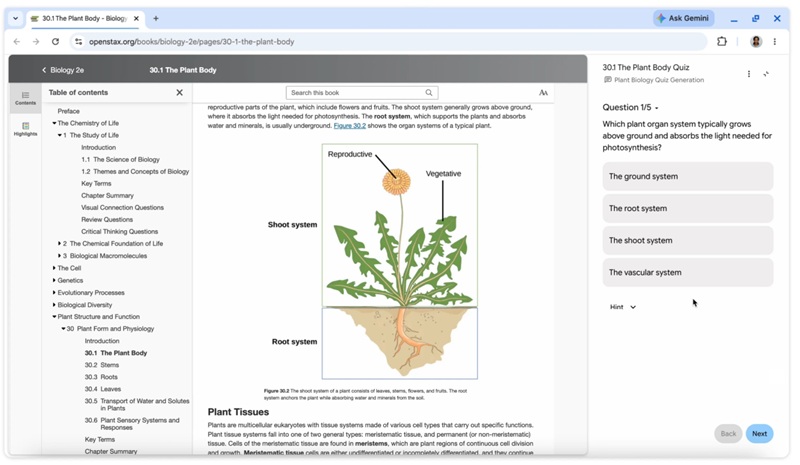
Gemini can now read whatever is in your active Chrome tab — a Google Doc, a research paper, a lecture video — and generate an interactive quiz from it. It's a direct study aid, skipping the step of manually writing flashcards or practice questions. Superpower Daily confirms the feature is desktop-first, with mobile and other regions listed as "coming months" without a specific timeline. UK and EU users are not yet included.

Gemini in Chrome can generate interactive quizzes from the content of any open tab.
Beyond YouTube
Gemini in Chrome can now summarize and answer questions about podcasts and video content from sites beyond YouTube. Play a lecture recording or an audio article, and the assistant can pull out key points or clarify specific sections. Previously, this kind of analysis was limited to YouTube videos and text pages.
Gemini's audio and video analysis now extends to podcasts and third-party sites beyond YouTube.
Tab management and sync
Chrome's workspace tools get two additions: tab groups with horizontal or vertical layout options, and Split View, which pins two pages side by side — useful for keeping a reference document open next to a draft. Related tabs hold their pairing so you can return to the same setup later.
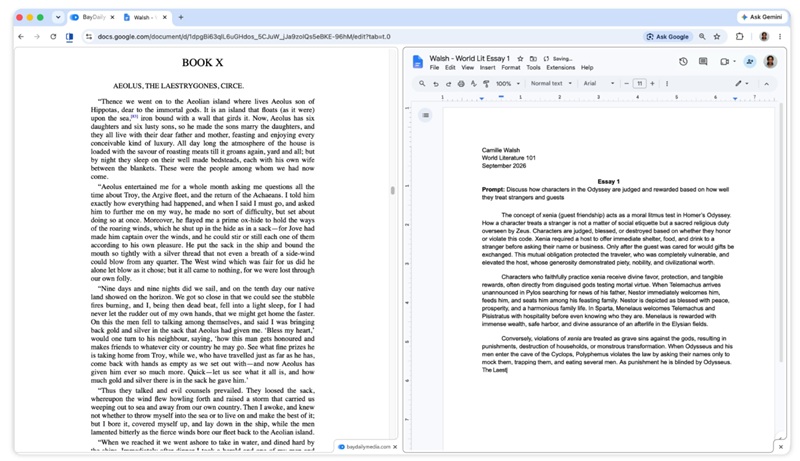
Split View lets you pin two tabs side by side — handy for research and writing.
The more immediately useful update is cross-device sync. When you send a tab from your laptop to your phone — or the other way around — Chrome now preserves your exact scroll position and any partially filled forms. No more hunting for where you left off in a long article.
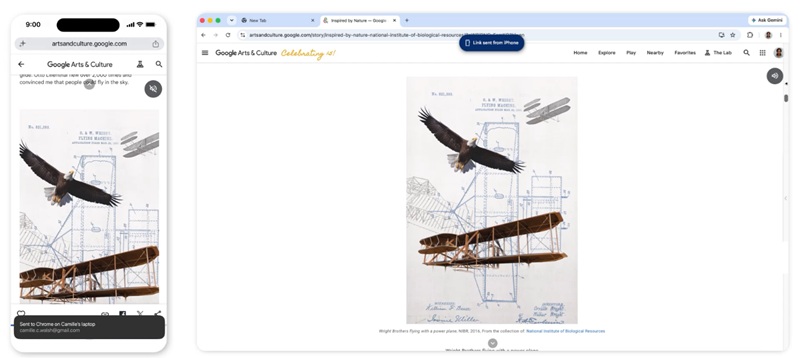
Cross-device sync preserves your scroll position and partially filled forms when switching between devices.
Reading Mode and Read Aloud
Reading Mode strips ads, images, and surrounding clutter from web pages, leaving plain text with adjustable font size, letter spacing, and contrast. On Android, Read Aloud goes a step further: it can convert a web page into a podcast-style dialogue, generating a two-voice AI conversation from the content rather than a flat text-to-speech reading.
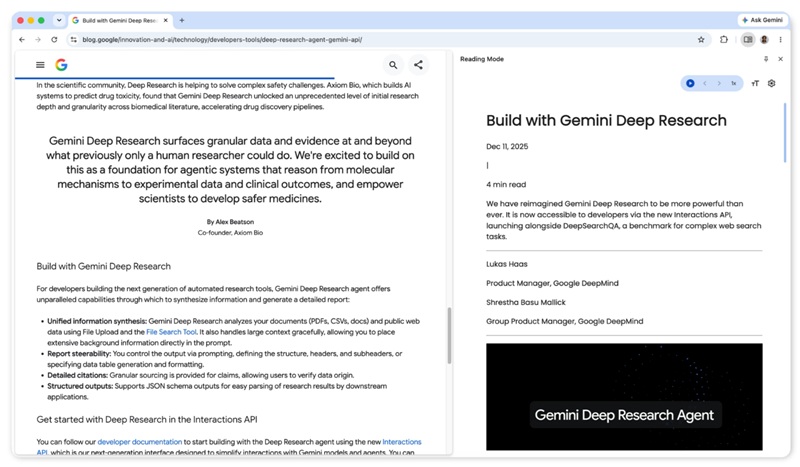
Reading Mode removes visual clutter; Read Aloud on Android can generate a podcast-style dialogue from any web page.
These features fit neatly into Google's broader push to make Gemini the default AI layer across its products — the same direction visible in the Google launches Googlebook: five Android laptops starting at $899 and the ASUS Googlebook design revealed: Glowbar lid, Gemini key, and a $1,390 price tag. For privacy-conscious users, Gemini activity storage can be managed — or switched off — in your Google account settings.


